
Sales (inbound and outbound)
Our sales process combines inbound and outbound motions to convert high-fit prospects into paying customers. We use a structured pipeline in Close.com to track every opportunity from first contact through subscription.
Pipeline Summary
Leads automatically sync from the Ferndesk app to Close.com using the sync org to CRM job.
We work exclusively from opportunities in Close, not from the leads list directly.
Learn more about managing opportunities in Close.com's opportunity pipeline documentation.
Pipeline Stages
Each opportunity moves through six stages:
Prospect: Someone who fits our ICP but we haven't explicitly reached out to yet
Contacted: We've sent initial outreach
Onboarding: They've signed up for Ferndesk
Activated: They're actively using the product
Subscribed: They're paying (this is a win)
Lost: They didn't subscribe, usually because they're not a good fit or not ready
Step 1: Prospecting
We aim to add 20 new prospects per week from two sources:
Interesting Trials
Monitor two places for high-quality trial signups:
The #feed channel in Slack for interesting Ferndesk usage patterns
The Power Trials list in Close for high-value signups
Manual Prospecting
We manually prospect around 20 people per week through cold outreach. Use the Add to CRM Chrome extension ($17/month, worth every penny) to quickly add prospects to Close.
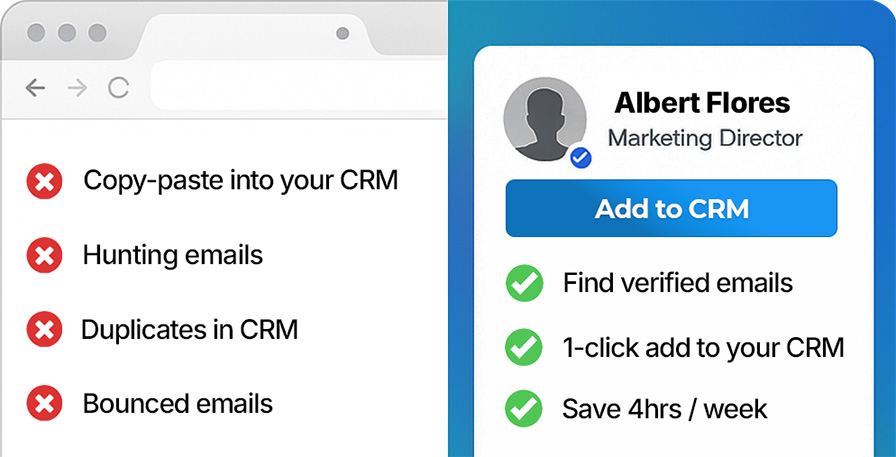
The workflow:
Check if they match our ICP
Add them to Close using the Add to CRM extension
Automatically create an opportunity with status "Prospect"
Only add prospects who clearly match our ICP criteria: ship-first SaaS founders with $20K-$150K MRR, technical teams, and visible documentation debt + crapy helpdesk software.
Step 2: Reaching Out
We use different outreach strategies for cold versus inbound leads.
Cold Outreach (Outbound)
For prospects we're reaching out to cold, we create their help center for them before sending the first email. This "show, don't tell" approach demonstrates immediate value.
Demo Account Credentials
Use the shared demo account to create prospect workspaces:
Email: [email protected]
Password: demo123
Cold Outreach Process
Log into the demo account
Create a new workspace for the prospect
Ask Fern to bootstrap the help center using their existing documentation
Send them an email using this "theme/template":
"Hey, we've migrated your help center for you. Now that it's migrated it will stay up-to-date automatically. All you need to do to claim it and get this beautiful help center is reply to this email and never update your documentation again."
The goal is to show them their future help center already working, not just talk about what we could do.
Inbound Outreach
For inbound leads who've already shown interest, use regular check-ins:
Send helpful tips and advice
Share feedback about their current help center
Point out specific issues we've noticed
Goal: Get them to reply and start a conversation
Pipeline Movement Goals
We try to walk the pipeline daily, but things happen. The key metrics are weekly movement:
20 prospects added each week
20 prospects contacted each week
2 sales closed each week
Focus on getting at least 20 leads moving through the pipeline each week. Consistent movement matters more than perfection.
Close.com Resources
Helpful Close.com documentation:
Opportunity Pipeline View — Main guide for managing opportunities
Workflows Overview — Automation for leads, contacts, and opportunities
Create Opportunity on Lead Status Change — Automation setup via Zapier